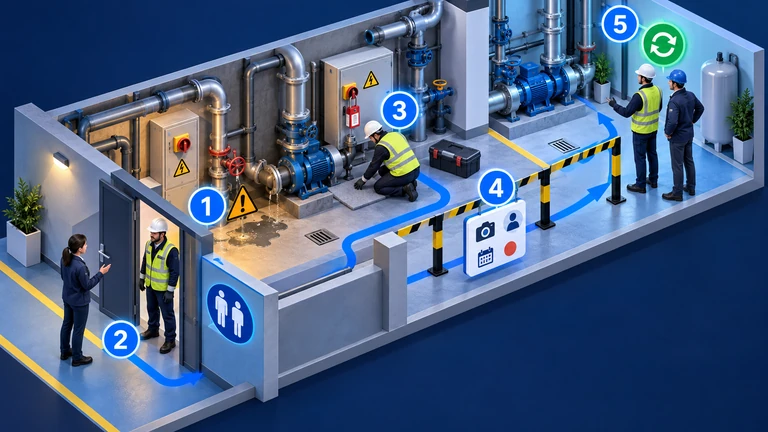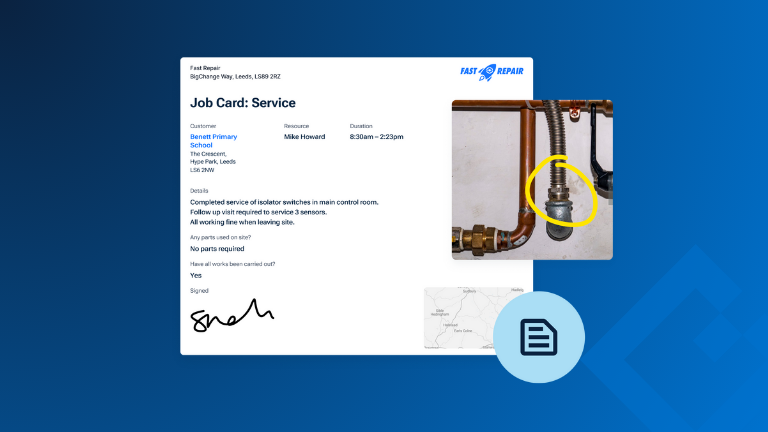
A job card is a structured record of work carried out by a field service technician. It outlines what needs to be done, who is doing it, when and where the job takes place, and what was completed on site. In other words, it’s the single source of truth for every job.
Traditionally, job cards were paper forms handed to technicians at the start of a shift. But today, most businesses use digital job cards because they’re easier to update, track, store, and share across teams. This shift from physical to digital job cards matters - it removes the risk of paperwork going missing, speeds up invoicing, and gives everyone real-time visibility.
With modern job card software, field service businesses benefit from:
- Accurate, consistent job completion
- A complete job history is available to office teams, technicians, and customers
- Better visibility and traceability, improving first-time fix rates
Job Card Example
A job-card example typically includes essential job details, technician instructions, and proof of completion. Before we break down how to build your own, it’s helpful to look at a structured job card template to understand how these elements come together.
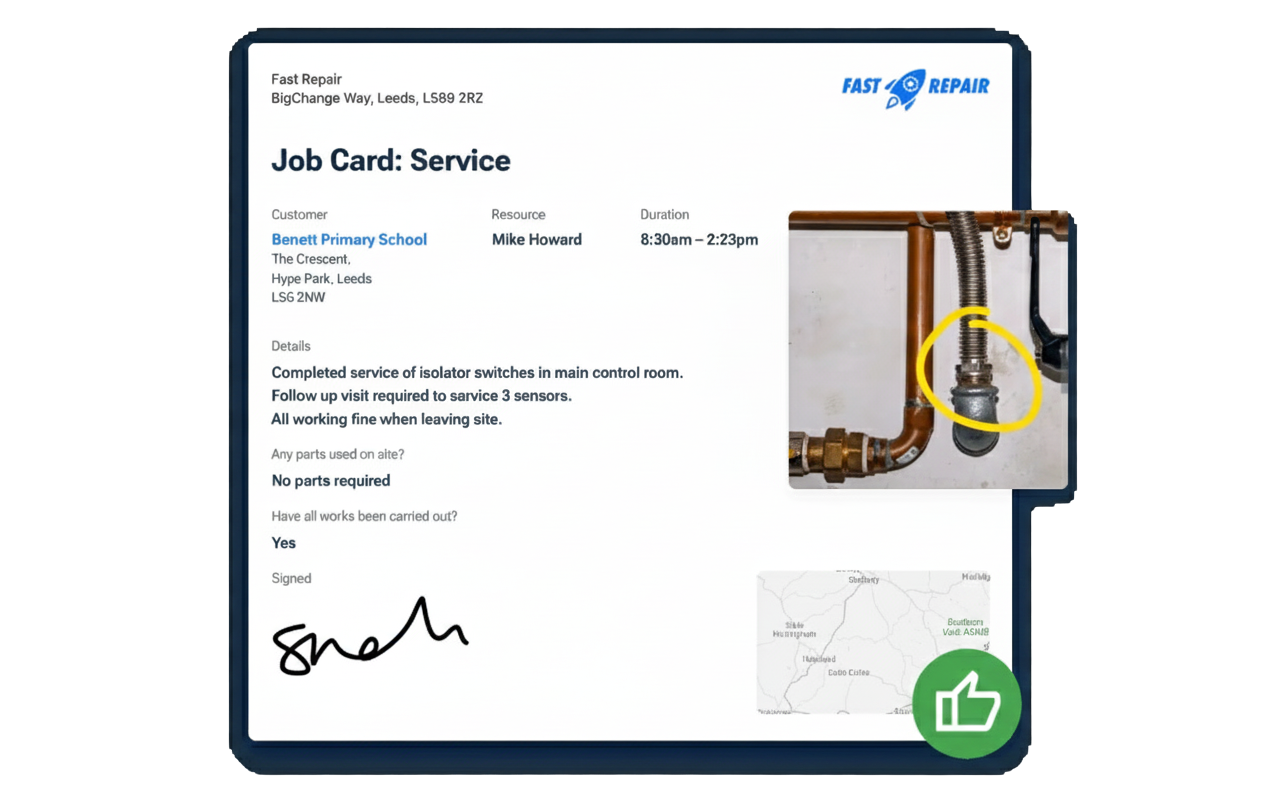
🔍 You can download an Excel format version of our job sheet template here
9 Key Components Every Job Card Should Include
Job cards work best when they capture the right information in a clear, structured format. Below is an improved version of the core components, adapted from the original "Crucial components in a perfect job card template" guidance and shaped around practical, real-world field service needs.
1. Job reference number
It seems simple, but it is essential. A unique job number makes jobs easy to locate, supports organised record keeping and ensures invoicing is accurate. It is the anchor for every piece of information linked to the job.
2. Job description
A free text field helps record any specific details the technician needs to know. When using job management software, you can also create drop-downs for common job types. This improves consistency and reduces time spent filling in repetitive information.
BigChange tip: If you regularly complete the same job types, you can assign job-specific worksheets, stock and equipment to them. When a scheduler creates a job of that type, all relevant items are added automatically. This reduces manual input and reduces the risk of missing key details.
3. Customer and site details
Technicians need accurate contact information before they arrive. Clear site details prevent delays, avoid miscommunication and help ensure the right person is available to grant access.
4. Assigned technician(s)
This makes responsibility clear. It also helps the office allocate work based on skills, qualifications or previous experience with the site.
5. Scheduled date and time
This supports planning for both the technician and the customer. It also helps office teams manage daily workloads in a predictable way.
6. Labour, parts and materials used
Listing expected parts or equipment upfront increases the likelihood of a first time fix. It also helps maintain stock accuracy and ensures any specific customer or safety requirements are met.
Recording what was used on site is equally important. It supports accurate invoicing, keeps stock levels reliable and gives customers clarity about what they are paying for.
7. Safety information
Risk assessments, site safety documents and similar checks can be set as mandatory fields in digital job cards. Once completed, the system automatically records when they were carried out. This is vital for industries with strict compliance or site access requirements.
8. Signatures and timestamps
Digital signatures provide proof that the work was completed and approved. Automatic timestamps show exactly when work was done. Together, they create a reliable audit trail.
9. Image capture
Photos taken on site give immediate visual evidence of the work completed. They are useful for quality checks, customer communication and resolving any later questions about the job. Photos taken on site provide a clear visual record of progress or completion. They can also help resolve customer queries.
To learn more about how digital tools help field teams operate more effectively, explore the benefits of digital job cards.
Why This Information Matters
- Improved clarity between office and field – A central job card gives teams a shared understanding of what has happened and what still needs attention. Coordinators can see when tasks are completed, overdue or waiting on parts. Technicians have the full context when they arrive, including past notes, timings and site details. This reduces back and forth, cuts down avoidable delays and helps prevent duplicated work.
- Accurate invoicing and proof of completion – Digital job cards build a reliable, time-stamped record of the work. Photos taken during the job, customer signatures and completed worksheets all sit together in one place. This makes it easier to justify charges, issue invoices quickly and resolve questions from customers or insurers with clear evidence rather than memory.
- Better customer experience – Customers often ask the same questions: what was done, why it was needed and whether the issue is fully resolved. A digital job card answers all three. It shows the work completed, parts used and any recommendations for future maintenance. Because technicians can see job histories before they arrive, they are more likely to resolve issues on the first visit, which customers value.
- Consistent safety and compliance – Safety steps are built into the workflow so they cannot be forgotten or skipped. Once a technician completes a risk assessment or signs off a safety document, the record is stored automatically. Managers can retrieve these details instantly for audits, accreditations or site access checks, reducing compliance risk for both the business and the technician.
Best Practices for Creating and Managing Job Cards
Centralise Job Cards in Your CRM
Keeping job cards inside your CRM ties every job directly to the customer record. This gives your team a single source of truth, rather than information spread across emails, folders, and paperwork.
When job cards are centralised:
- Office staff, technicians, and customer service teams can all access the same job details.
- Past work, site notes, and job history are easy to find when a customer calls with a question.
- Proof of work and service records can be shared quickly without chasing paperwork.
BigChange tip: In BigChange, job cards are linked directly to the customer record, giving teams access to job history, site notes, and documents from one central place. This setup reduces confusion and makes follow-ups far easier, especially for repeat customers or ongoing maintenance work.
Automate Where Possible
Automation helps job cards stay accurate and consistent without adding more work for your team. The goal is to reduce manual entry, not remove human oversight.
Well-used automation can:
- Auto-fill customer details, site addresses, and scheduled dates from your scheduling system.
- Pull in stock items, asset records, or service history based on the job type.
- Apply consistent formatting, mandatory fields, and compliance sections across every job card.
BigChange tip: BigChange can pre-populate job cards with details from the schedule, customer records, and assets, helping reduce manual entry and ensure required fields are completed.
This saves time for schedulers and gives technicians clearer job information before they arrive on site.
Brand and Format Professionally
Job cards are often shared with customers, so they should be clear, professional, and easy to understand. A well-formatted job card also makes it easier for technicians to complete accurately.
Good formatting includes:
- Your logo, company details, and standard terms and conditions.
- A clean layout with clear headings and logical sections.
- No unnecessary fields that slow technicians down or create clutter.
BigChange tip: With BigChange, job card templates can be customised with your branding, and supporting documents like certificates or reports can be attached directly to the job, so everything related to the job sits in one place.
Regularly Review and Update Templates
Job card templates should not stay static. As your business grows, services change and regulations evolve, your templates need to keep up.
Regular reviews help you:
- Update safety sections to reflect current protocols and legislation.
- Add new fields for new services or remove ones that are no longer relevant.
- Reflect changes to branding or internal processes.
Technicians should be part of this process. Their feedback often highlights what is unclear, what gets skipped, or what could be captured more efficiently in the field.
BigChange tip: BigChange lets you update job card templates centrally, so changes apply across all future jobs without technicians needing to update the app.
Mobile UX Best Practices for Job Cards
Most job cards are completed on mobile devices, often in challenging environments. If the mobile experience is frustrating, information will be missed or rushed.
A mobile-friendly job card should:
- Use dropdowns, radio buttons, and checkboxes to reduce typing.
- Make photo uploads, digital signatures, and product links quick to access.
- Be easy to scroll and swipe without endless screens or hidden fields.
BigChange tip: Real-time updates also matter. When field staff update job cards as they work, the office can see progress immediately and respond to customers with accurate information, without waiting for paperwork to come back.
Why Digital Job Cards Are Now Essential
Pain Points of Paper-Based Job Cards
Paper job cards tend to fail at the moments when accuracy and speed matter most.
Documents get lost or damaged between the job site and the office, especially when technicians are moving between multiple jobs in a day. Even when paperwork does make it back, handwritten notes can be hard to read, incomplete, or open to interpretation. This often leads to follow-up calls, delays in invoicing, or missing information that should have been captured on site.
Paper also creates delays across the business. Jobs cannot be closed, invoiced, or reviewed until job cards are handed in and manually processed. If a customer calls asking what work was done last time, there is rarely a quick answer. Someone has to search through folders, scan old paperwork, or rely on memory.
Over time, this leaves you without a reliable job history. There is no clear service trail, no easy way to confirm what was done, and no simple proof if a dispute or insurance query arises.
Benefits of Going Digital
Digital job cards change how information moves through the business, not just how it is recorded.
As technicians update a job, the office can see progress in real time. Notes, photos, and completion status are visible immediately, which helps schedulers answer customer questions and plan next steps without guessing or waiting for paperwork to return.
Access is no longer tied to a physical document. Job information can be viewed from the office, on a mobile device in the field, or while speaking to a customer. This makes it far easier to check job history, confirm past work, or reference site-specific notes during repeat visits.
Digital job cards also remove the need for manual recordkeeping. Job data is stored automatically against the customer record in the CRM, supporting faster invoicing and more accurate reporting once work is signed off.
For compliance and accountability, every action is time-stamped and traceable. This creates a clear audit trail that supports regulatory requirements, insurance claims, and client disputes, without relying on paper records or memory.
Optimise field services today with the perfect job card
A well-designed digital job card creates a single, reliable record of each job. Job history, safety checks, and proof of completion are captured as work happens, reducing gaps, rework, and confusion.
Without digital job cards, teams rely on delayed paperwork and incomplete information. This leads to missed details, breakdowns between field and office teams, and slower invoicing.
BigChange gives field service businesses a practical way to manage job cards at scale.
With BigChange, you can:
- Create branded job card templates with your logo and terms and conditions
- Capture photos, documents, and digital signatures on site
- Share real-time job updates between the field and office
See how it works in practice. Book a demo and speak with a BigChange specialist about building job cards that support faster jobs, clearer records, and better visibility across your business.