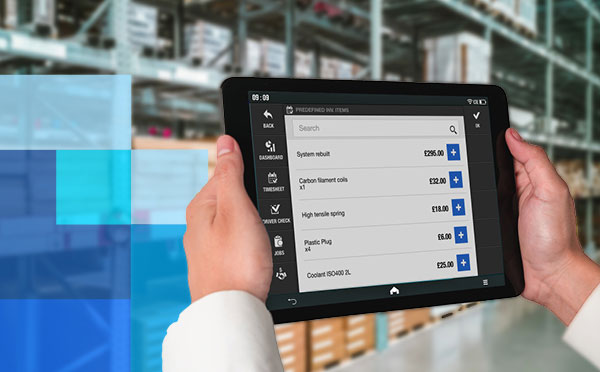
Stock control management helps field service businesses know what stock they hold, where it sits, when it moves, and which job used it. Strong stock control gives engineers, depots, and office teams one shared view of parts, tools, and equipment.
For field service teams, stock control links parts availability to job readiness. It also links stock usage to job history, invoicing, and equipment records.
Key Takeaways
- Stock control management keeps vans, depots, tools, and jobs aligned around one stock record.
- Field service teams need location-level stock visibility, not one warehouse count.
- Reorder points, cycle counts, and stock movements prevent avoidable job delays.
- Barcodes, QR codes, RFID, and serial numbers reduce manual stock entry.
- A stock control system works best when it connects stock usage to jobs, engineers, and invoices.
Stock control management defined
A clean stock-control routine gives a field service business one operating view of the parts, tools, equipment, and materials it needs for work. It records item location, movement, usage, returns, and replenishment across depots, vans, engineers, and job sites, so office and field teams don’t rely on memory or spreadsheets alone.
Info Entrepreneurs explains stock control as knowing how much stock you have, where it is, and how it moves through purchase, delivery, use, and reorder.
That definition matters in field service, because stock does not stay on one shelf. A pump part leaves a depot, sits in an engineer’s van, moves to a job, returns unused, then appears on another job later. Without a clean record, the office sees stock that no engineer has in hand.
Good stock control answers 5 practical questions:
- What parts, tools, and equipment do we hold?
- Where does each item sit right now?
- Which items have minimum stock levels or reorder points?
- Which engineer, van, depot, or job last used the item?
- Which items need checking, servicing, replacement, or invoicing?
Those answers become a stock-control routine. The routine matters more than the software alone.
Stock control and inventory management: the practical difference
The practical difference is scope. Daily control manages what exists, where it sits, and how it moves. Inventory management manages the wider plan behind that work, including purchasing, supplier records, valuation, replenishment, forecasting, and reporting. In field service, the two processes need to share the same job and location data.
The terms overlap in search results and office conversations. Field service teams get the most value when they treat stock control as the operational layer inside inventory management.
A field service business needs both. Daily control keeps today’s jobs moving. Inventory management keeps purchasing and planning under control.
Common stock control problems that hurt field service profits
Profit suffers when field teams lose parts, tools, time, or invoice detail. The damage starts on the job, then reaches the office through rebooked visits, extra depot runs, rushed purchasing, missed charges, and unclear equipment records. Better visibility turns those problems into fixable process gaps for managers in daily work.
Inaccurate stock levels
Inaccurate stock levels start when the office record says an item exists, but the item has already left the shelf. A part sits in a van, stays on a job site, or returns to the wrong depot.
The fix starts with stock locations. Treat each van, depot, warehouse, and engineer kit as a real location. Then record movements when stock enters, leaves, transfers, returns, or gets written off.
Missing tools and equipment
Parts get used once. Tools and equipment move between people and jobs for months or years. That makes ownership harder to track.
A check-in/check-out process gives every item a current holder, expected return point, and condition note. It also gives the office a record when equipment leaves with an engineer, returns damaged, or needs servicing before another job.
Delayed jobs and lower first-time fix rates
Engineers lose time when they reach a job without the right part or tool. The office loses time when dispatchers rebook visits, call suppliers, or search vans for missing stock.
Better stock visibility reduces that friction by connecting job requirements to available stock before the engineer leaves. Dispatchers also gain a way to choose a nearby engineer with the right van stock for urgent work.
Poor visibility across vans, depots, and job sites
Vans, depots, and job sites keep field service stock in motion. A single depot count does not show what an engineer has in a van or what a team left at a long-running site.
Multi-location stock control matters, because each location affects job readiness. Dynamics Consultants describes multi-location stock management around integrated systems, real-time tracking, replenishment planning, rotation, and audits.
9 ways to improve stock control management in a field service business
Improvement starts with the records that affect engineers first: items, locations, movements, and job allocation. Build that base, then add reorder rules, scanning, tool handover, cycle counts, equipment condition, and invoicing links. This order keeps the work practical while the system grows across vans, depots, and office workflows without slowing engineers down.
1. Create a single stock register for parts, tools, and equipment
A stock register gives the business one list of the items it wants to control. Include parts, consumables, tools, equipment, kits, and high-value serialized items.
The register needs practical fields:
- Item name
- Item category
- SKU, barcode, QR code, or serial number
- Supplier
- Unit of measure
- Default location
- Minimum stock level
- Reorder point
- Item condition
- Service or inspection date, where relevant
BigChange has a dedicated guide on how to set up stock lists, including manual stock-list creation and spreadsheet import.
2. Track stock across every location
Location tracking turns stock control from a warehouse exercise into a field-service workflow. Add each depot, van, engineer kit, cage, and job-site store as a stock location.
Each movement needs a reason. Use simple categories such as stock received, transferred to van, allocated to job, returned to depot, adjusted after count, written off, or sent for repair.

That record helps service managers answer practical questions. Which van has the part? Which depot needs a transfer? Which job consumed the item? Which engineer still holds the tool?
3. Set minimum stock levels and reorder points
Minimum stock levels stop critical parts from falling too low. Reorder points tell the office when to buy or transfer more stock.
Set both values by looking at usage, lead time, job criticality, and storage space. A fast-moving part with long supplier lead time needs a higher reorder point than a slow-moving item that arrives next day.
Review those levels after stock checks and busy service periods. Seasonal demand, contract wins, and supplier delays change the number that keeps jobs moving.
4. Use barcodes, QR codes, or serial numbers
Manual stock entry creates errors when engineers and office teams work at speed. Scanning gives each item, bin, location, or asset a cleaner identity.
GS1 UK barcode standards support product and location identification through barcodes, QR codes, and related standards. That principle helps teams scan parts into vans, scan tools out to engineers, and match serialized equipment to service history.
Use serial numbers for high-value or safety-critical items. Use barcodes or QR codes for repeat parts, consumables, bins, and locations.
5. Create a check-in/check-out process for tools and equipment
Tool control needs a different workflow from parts control. A check-in/check-out process records who holds the item, when it left, where it went, and what condition it returned in.
Start with high-value equipment, specialist tools, meters, hire equipment, and kit that affects compliance or safety. Then expand to shared tools that frequently go missing.
Record these fields at minimum:
- Item ID or serial number
- Current holder
- Job or depot
- Date checked out
- Expected return date
- Condition at handover
- Condition at return
- Maintenance or inspection notes
This process gives managers a fair record. Engineers also find the kit they need before a job starts.
6. Assign stock, tools, and equipment to jobs
Job allocation closes the gap between the stock record and the work record. When a part goes to a job, the stock system needs to show the job, engineer, customer site, quantity, and date.
That link supports job costing, invoicing, and customer queries. The office also sees which parts certain job types consume.
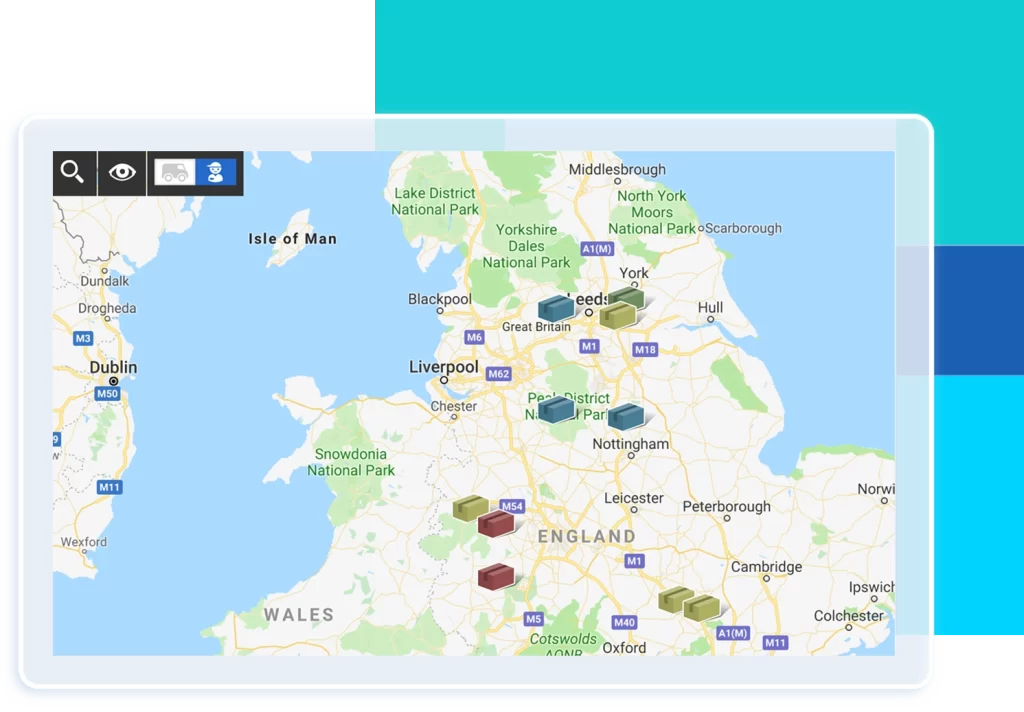
Engineers benefit too. A mobile job record that lists assigned parts and equipment reduces last-minute calls to the office. BigChange’s mobile workforce management software supports field teams that need job information away from the office.
7. Run regular stock checks and cycle counts
Full stock counts catch errors, but they interrupt the day. Cycle counts spread checking across smaller groups of items, locations, or categories.
Count critical and fast-moving stock more frequently. Count slow-moving stock less frequently. Check van stock after high-volume weeks, after engineer changes, and before busy maintenance periods.
When a count finds a mismatch, record the reason if the team knows it. Common reasons include unrecorded job usage, wrong location, damaged stock, returns not booked in, supplier short delivery, or duplicate item records.
8. Track equipment maintenance and condition
The same control protects tools and equipment that return to the business. A tool in the system but out of calibration still creates a job problem.
Add maintenance status to the stock or asset record. Use values such as available, assigned, due for inspection, under repair, retired, or lost.
Condition records help service managers choose the right equipment for the next job. They also reduce the risk of sending an engineer out with kit that needs repair.
9. Connect stock usage to job history and invoicing
Stock usage affects the customer record and the invoice. When engineers use chargeable parts on site, the office needs that usage on the job record.
This link reduces missed charges and gives the customer a clearer history. Managers also see which job types consume stock, which parts sit unused, and which items need tighter reorder rules.
BigChange field service management software helps field service teams connect jobs, engineers, and office workflows in one operating view.
What to look for in a stock control system
The right stock control system follows an item through the full field-service journey, not only a warehouse count. It tracks where stock sits, who holds it, which job used it, when it needs replenishment, and how usage flows into job records, invoices, and faster office review.
Use these criteria when comparing systems:
- Multi-location stock tracking for vans, depots, warehouses, and job sites
- Stock movements with reason codes and audit history
- Minimum stock levels and reorder-point alerts
- Barcode, QR code, RFID, or serial-number support
- Tool and equipment check-in/check-out
- Job allocation for parts, tools, and equipment
- Mobile access for engineers
- Stock count and cycle-count workflows
- Equipment condition and maintenance status
- Job history, costing, and invoicing links
- Reporting by item, location, job, engineer, and supplier
Avoid choosing a system around warehouse stock alone. Service teams need a stock control system that follows the item into the field and back again.
How BigChange helps field service businesses manage stock control
BigChange brings stock control closer to the jobs that create stock movement. Teams use stock records, job details, mobile workforce workflows, and feature settings to keep office and field activity aligned. That link matters when stock decisions affect scheduling, engineer readiness, job completion, customer updates, and invoicing on the same day.
Use BigChange to structure the operational workflow:
- Build and maintain stock lists for parts, tools, and equipment
- Keep item records consistent across office and field teams
- Connect stock to jobs and engineers
- Give mobile workers job details while they work away from the office
- Review feature options through the BigChange field service features hub
The same pattern shows up in customer experience. On Capterra, Alexina, an office manager in construction, describes the old situation as notes, engineer job sheets, and disconnected admin. The task was bigger than tidier stock records. It was getting enquiries, quotes, installs, service jobs, invoices, payment follow-up, stock, and reports into one working flow. BigChange became the action layer that joined those steps. The stock-control lesson is practical: every movement is easier to manage when it stays connected to the job lifecycle.
The strongest stock-control setup keeps every team in the same system. Office staff see stock availability. Engineers see the items assigned to the job. Managers see usage patterns before purchasing or process problems spread.
Better stock control starts with better visibility
Better visibility starts when each stock movement leaves a record. The record needs to cover vans, depots, engineers, jobs, tools, equipment, and returns. That visibility gives the business a clearer path from stock on hand to work completed, customer history, replenishment, and invoice review without end-of-day guesswork in the office.
Begin with a clean register, clear locations, reorder points, scanning, and check-in/check-out habits. Then connect stock usage to job history and invoicing so the office sees the full path from part to completed work.
Better stock control does not remove every stock problem. It gives the business a reliable way to spot the problem, find the item, and fix the process before the next job suffers.
Frequently Asked Questions
What is field service inventory management?
In field service, inventory management tracks parts, tools, equipment, and materials across depots, vans, engineers, and jobs. It links stock records to field work so teams know what they hold, where it sits, and which job used it. BigChange’s stock setup guide explains how to create stock lists for that workflow.
How much stock should you keep?
Keep enough stock to cover expected demand, supplier lead times, and urgent job needs without tying up cash in unused items. Set minimum levels for critical parts, then review usage after counts and busy service periods. Info Entrepreneurs covers stock levels as part of stock control planning.
How can I effectively manage inventory across multiple manufacturing facilities?
Manage multiple facilities by treating each depot, warehouse, van, or site as a tracked stock location. Use one system for transfers, counts, replenishment, audits, and usage history. Dynamics Consultants highlights integrated multi-location stock systems as the base for better visibility.
What is the difference between stock control and inventory management?
Daily stock control manages the availability, location, and movement of items. The wider inventory management process covers purchasing, supplier coordination, forecasting, valuation, reporting, and stock policy. Together, they help teams connect stock movement with purchasing decisions across the stock lifecycle. Info Entrepreneurs frames stock control around stock quantity, location, movement, and administration.
What should you look for in a stock control system?
Look for location tracking, stock movements, reorder points, barcode or QR scanning, serial numbers, check-in/check-out, mobile access, cycle counts, and job allocation. Teams also need stock usage tied to job records and office workflows. BigChange’s field service management software connects field and office work.